by Daniel Cheng | December 16, 2025
x0, we can use the forward process and compute
t ∈ [0, 1, ..., 999, 1000]. The noise coefficient at timestamp t can be obtained using
alphas_cumprod = stage_1.scheduler.alphas_cumprod
alpha_cumprod_t = alphas_cumprod[t]
for a given t. Below are examples of the Campanile at noise timestamps 250, 500, and 750:
stage_1.unet, we can estimate the amount of noise in the noisy image. With the forward process defined above, we can solve for x0 (the original image) given xt (the noisy image) at timestamp t:
at_x0 = im_noisy_cpu - (1 - alpha_cumprod).sqrt() * noise_est
original_im = at_x0 / alpha_cumprod.sqrt()
This method of estimating the clean image given a noisy image is known as one-step denoising. Below is a comparison of the original, noisy, and the estimate of the original image for t ∈ [250, 500, 750]:
t until step 0. However, this means running the diffusion model 1000 times in the worst case, which is slow and costly. Fortunately, we can speed up the computation by first defining a series of strided timestamps, starting at close to 1000 and ending at 0. For the examples below, we will use strided_timestamps = [990, 960, ..., 30, 0]. Then, we can use the formula
x at timestamp T, where T (or prev_t) is the next timestamp after the current timestamp in the strided timestamps. First, we use the definition of the constants, where alpha_cumprod_t is the variable with the bar:
alpha_cumprod_t = alphas_cumprod[t]
alpha_cumprod_prev = alphas_cumprod[prev_t]
alpha_t = alpha_cumprod_t / alpha_cumprod_prev
beta_t = 1 - alpha_t
Then, we can get an approximation of x0 by using the one-step estimate. The estimated variance will be computed along with the noise estimate, allowing us to calculate xT using the formula above and obtain the image estimate for the next step. Below are some visualizations for the iterative denoising process:
t = strided_timestamps[i_start] (t = 690):
strided_timestamps to 0, and using the prompt 'a high quality photo'. Below are a few examples:
''. Denoting the conditional noise estimate as εc and the unconditional noise estimate as εu, we let our noise estimate be ε = εu + γ(εc - εu). Note that we have ε = εu and ε = εc for γ = 0 and γ = 1 respectively. However, when γ > 1, we can get much higher equality images for reasons still discussed today. This technique is known as classifier-free guidance. By using γ = 7 and the conditional & unconditional prompts be 'a high quality photo' & the null prompt '', we get the following sample images:
'') will be used in all future usage of the CFG iterative denoise function.
iterative_denoise_cfg function to get a result that is of higher quality, as opposed to merely a prediction of the original. By adjusting the starting amount of noise to the Campanile with the timestamp index i_start, where a higher index means less noise, we get a series of edits that gradually go from entirely new to resembling the original image:
iterative_denoise_cfg function to edit certain sections of an image. To do so, we first define a mask the same size as the image that is 1 at the pixels where we want to edit, and 0 otherwise. For each loop of the denoising process, we replace xt with mxt + (1 - m)forward(x0, t), where m is the mask and x0 is the original image.image is replaced by masked_image, we replace all further occurrences of image except for the last instance, as the image at each step still needs to be updated. Finally, we let our starting noise be purely random and start with a timestamp index of 0, so that the patch we want to change can be sufficiently denoised. Below are the results on the Campanile image:
'a high quality photo', to any other. This will give control over what the noise is projected to, resulting in a series of images that look more like the original image, but also similar to the conditional prompt.
'a pencil'
'a rocket ship'
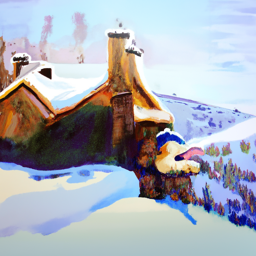
'an oil painting of a snowy mountain village'
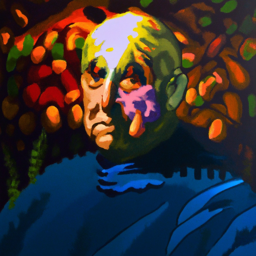
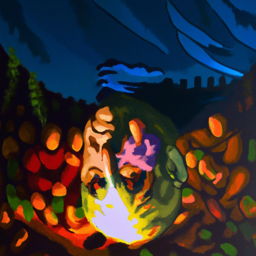
p1 and p2. For p1, we would compute the noise estimate ε1 normally at each step, but for p2, we flip the image xt first before computing the noise estimate, then flip back the estimate to obtain ε2, which would be the noise estimate of the flipped image.xt, and the final variance estimate will (v1 + v2) / 2. Below are a few examples of such an effect, with p1 being the first prompt and p2 being the second:
'an oil painting of an old man' & 'an oil painting of people around a campfire'
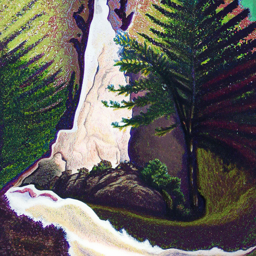
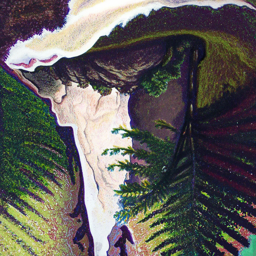
'a lithograph of waterfalls' & 'a man wearing a hat'
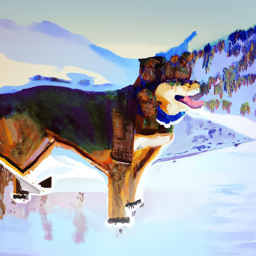
'an oil painting of a snowy mountain village' & 'a photo of a dog'
p1 and p2 through a low and high pass filter, respectively.p1, but when viewed far away, shows p2. Unlike the anagram images, we don't need to flip or transform the image to be denoised, as both images should be viewed under the same orientation. Below are several examples:
'a lithograph of a skull' (low-pass) & 'a lithograph of waterfalls' (high-pass)
'a pencil' (low-pass) & 'a rocket ship' (high-pass)
'a lithograph of waterfalls' (low-pass) & 'a photo of a dog' (high-pass)z, we aim to train a denoiser Dθ(z) that can map it to a clean image x. To do this, we can optimize over the L2 loss Ez,x||Dθ(z)||2 while training.
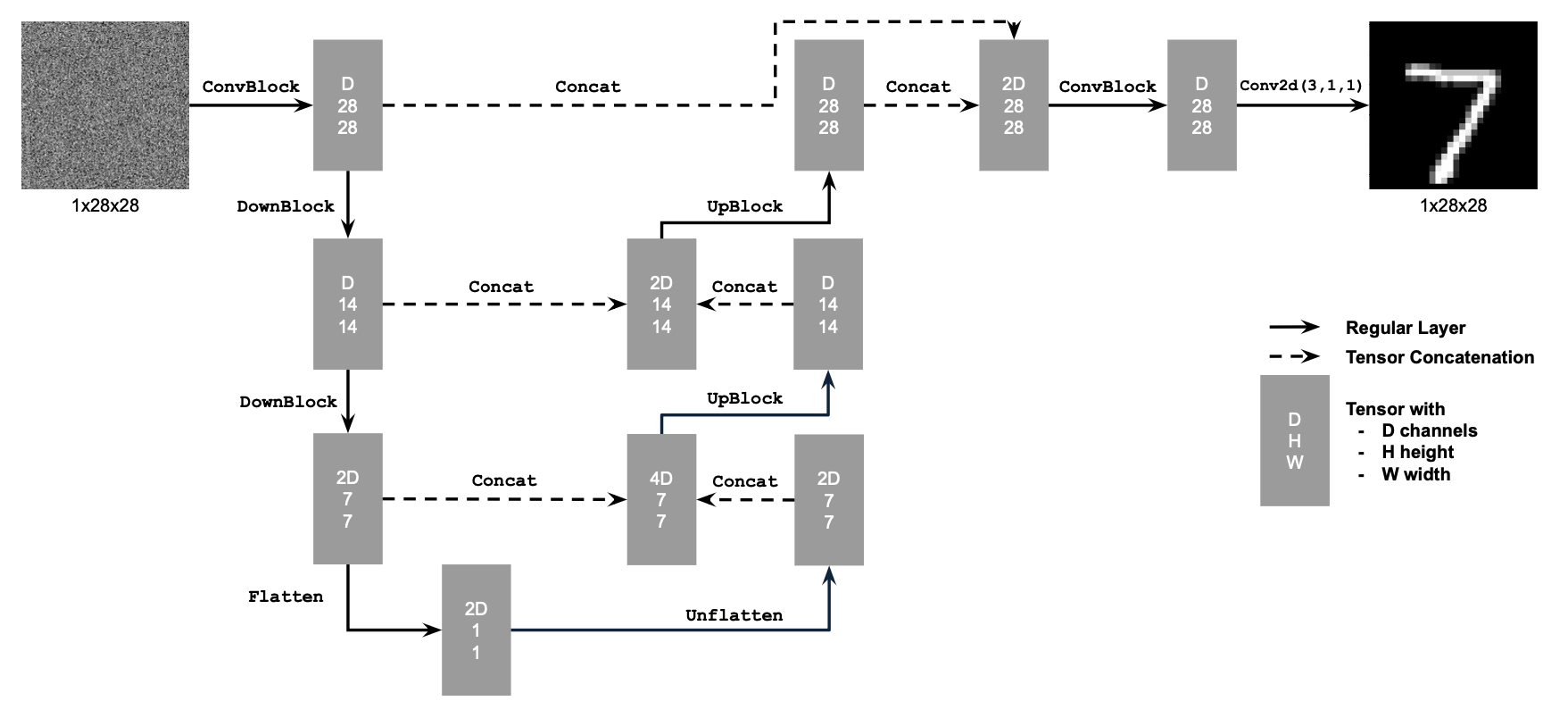
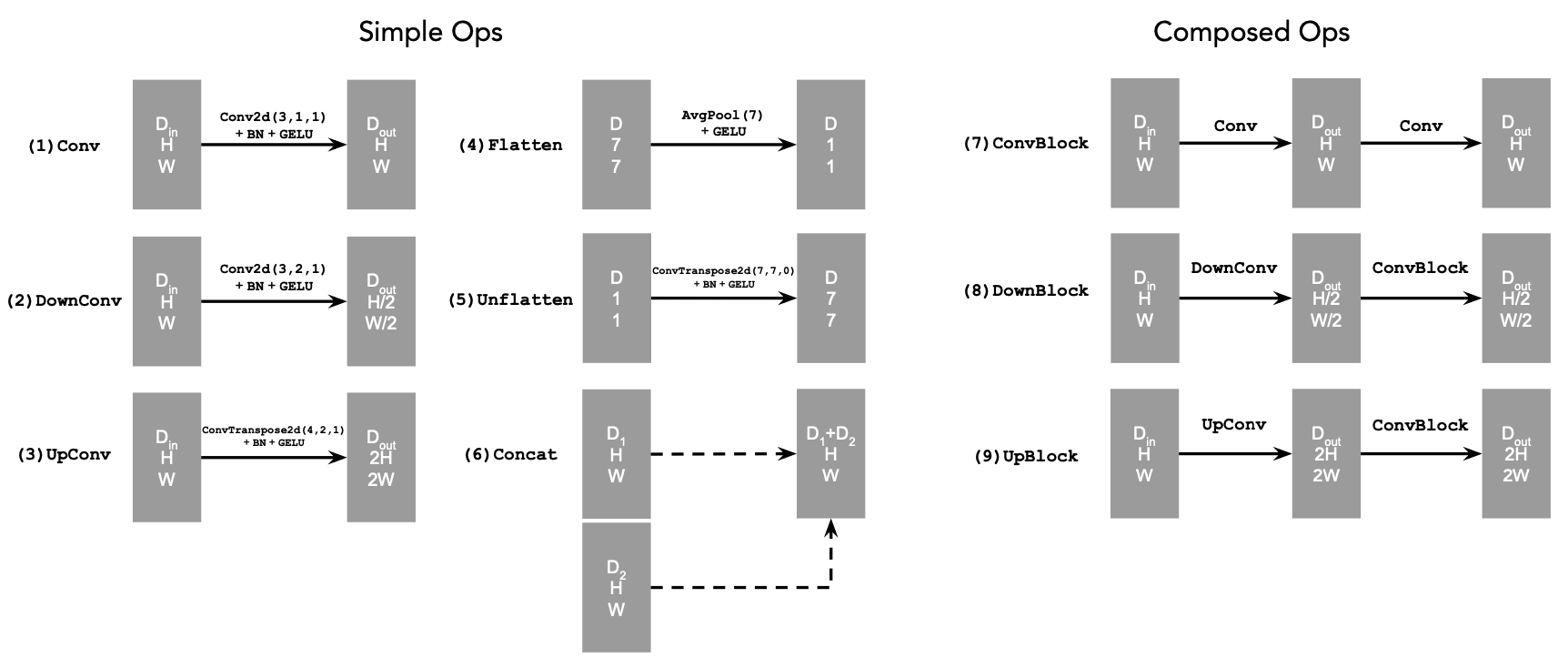
D is the number of hidden dimensions.
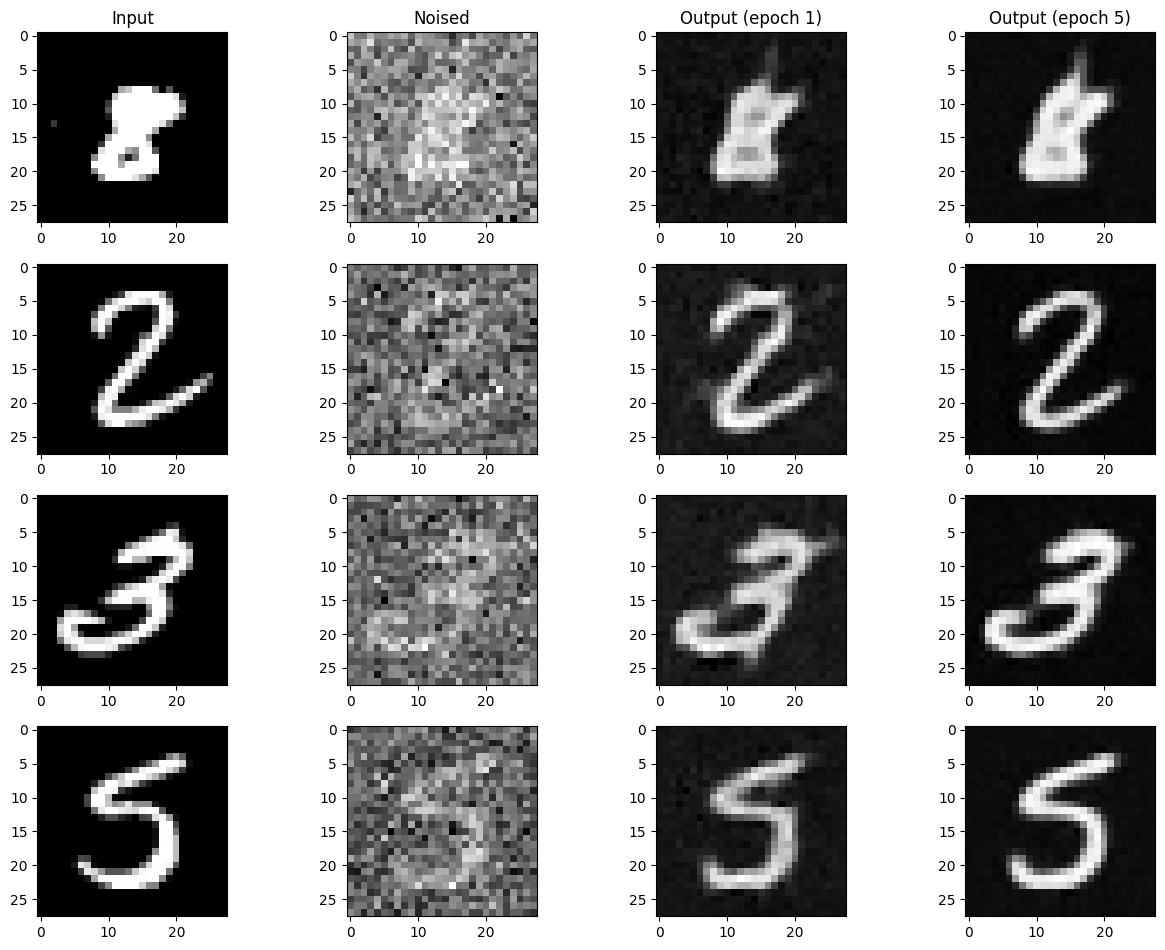
1e-4, a hidden dimension of 128, the Adam optimizer with the given learning rate, and a training time of 5 epochs. A fixed noise level of σ = 0.5 will be used to noise the training images.
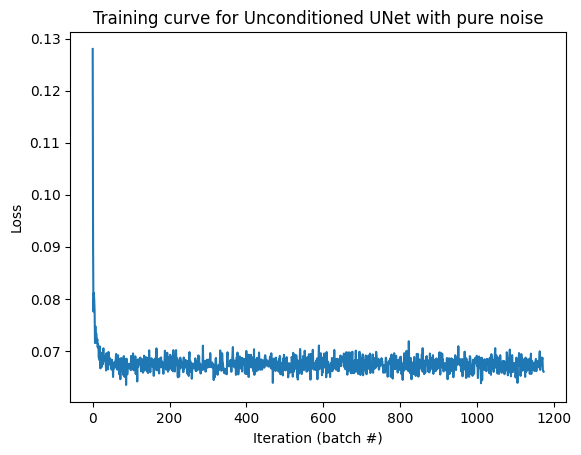
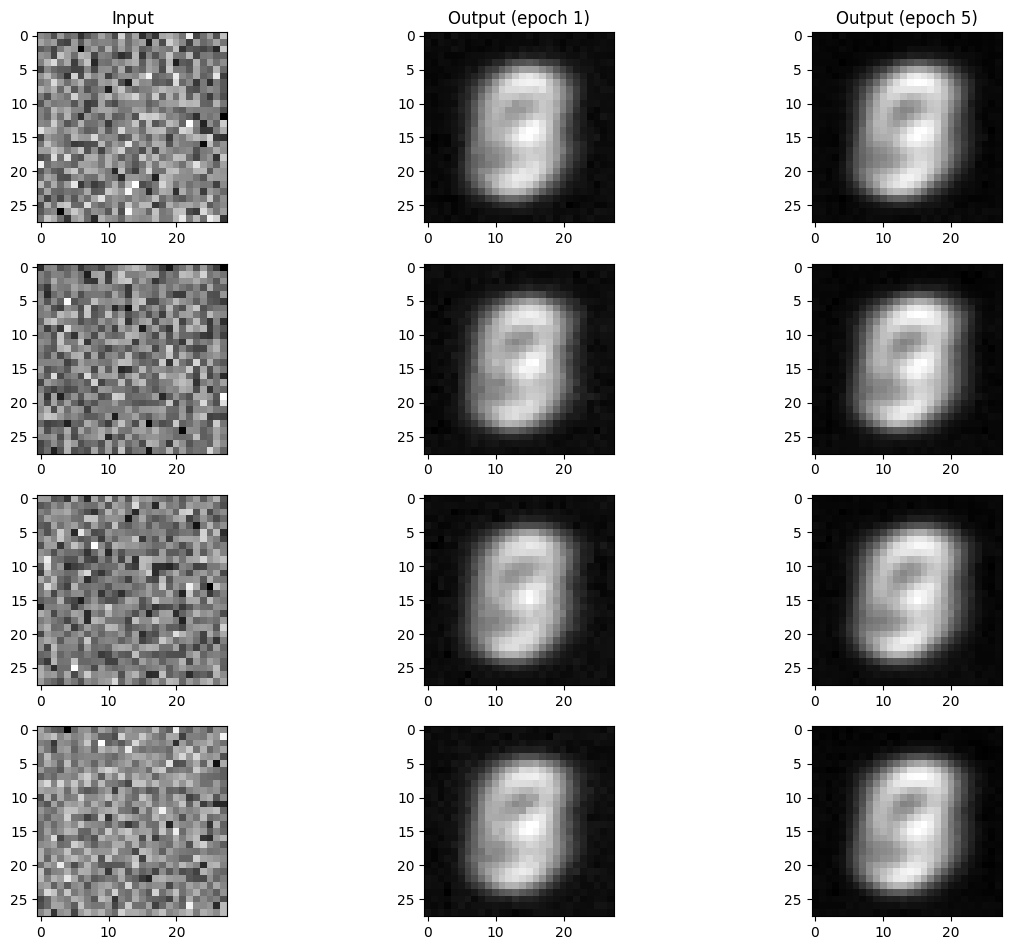
z ~ 𝒩(0, 𝐈) on all training inputs x, and because z contains no information about x, the result is an average of all digits in the training set.
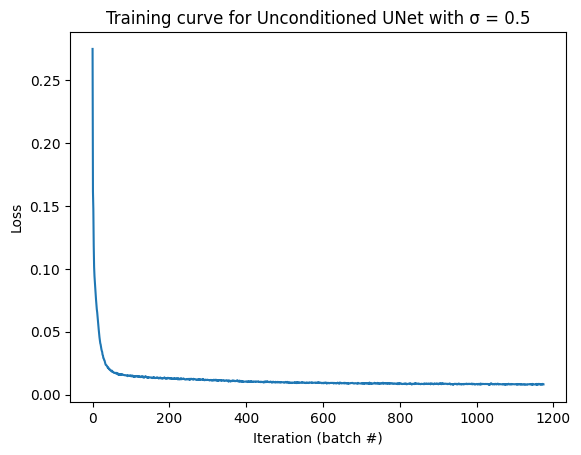
As a result, while the training loss curve does not show much suspect:
xt = (1 - t)x0 + tx1 for a given t ∈ [0, 1], where x0 is the noise and x1 is the clean image.t for any given xt. This produces a vector field across all images, where the velocity at time t for each is d/dt xt = x1 - x0. Therefore, if we can predict x1 - x0 for any given t and xt, we can go along the path traced out by the vector field and arrived at somewhere near the manifold of clean images. This technique is known as a flow matching model, and with the model trained, we can numerically integrate a random noise sample x0 with a set number of iterations using Euler's method, and get a clean image x1.
1e-2, a hidden dimension of 64, the Adam optimizer with the given learning rate, a exponential learning rate decay scheduler with γ = 0.1(1.0 / num_epochs), a sampling iteration count of T = 300, and a training time of 10 epochs. To advance the scheduler, we will call scheduler.step() at the end of each training epoch.
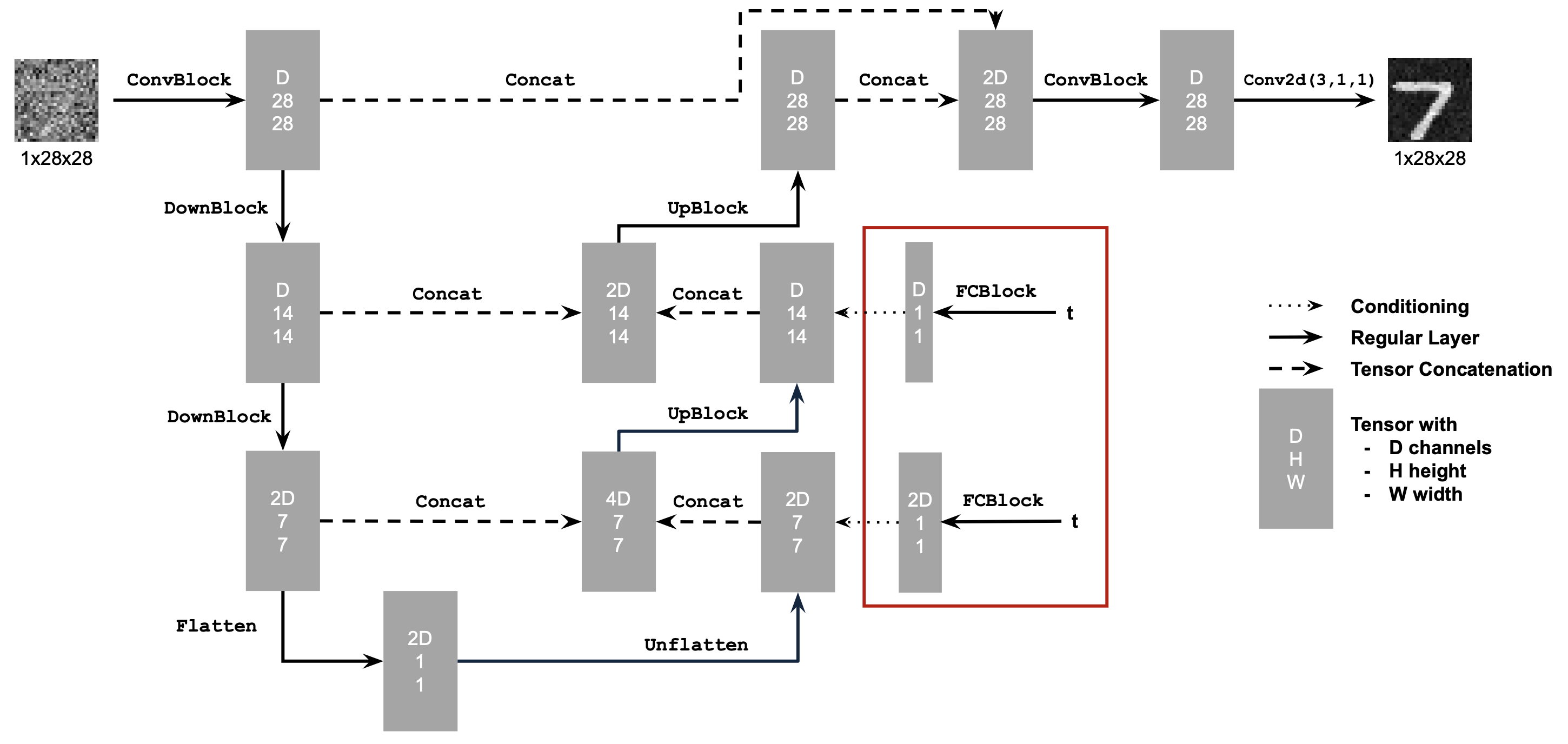
t in the UNett in the UNet, we will multiply the unflat and firstUpBlock tensors (the result after applying the Unflatten and the first UpConv operations respectively) by fc1_t and fc2_t. fc1_t and fc2_t are the result of passing t through the first and second FCBlock, where the first produces a tensor with twice the number of hidden dimensions, while the second has the same number of hidden dimensions as the first and last ConvBlock (i.e. the first and second result each has 2D and D channels). In pseudocode:
unflat_cond = unflat * fc1_t
firstUpBlock_cond = firstUpBlock * fc2_t
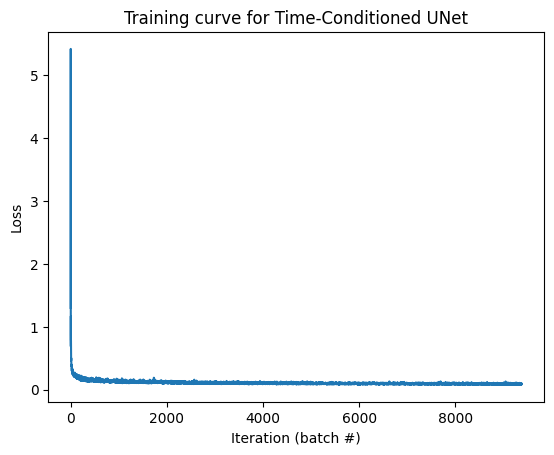
x1 we will generate x0 ∈ 𝒩(0, 𝐈) and t ∈ U([0, 1]), where U is the uniform distribution. After computing xt = (1 - t)x0 + tx1, we will feed xt and t into our UNet and compute the loss of uθ(xt, t) and x1 - x0. Below is the new model's training loss curve:
x0 ∈ 𝒩(0, 𝐈), and for every iteration i from 1 to T, we will compute x0 = x0 + (1 / T)uθ(xt, t), where t = i / T. The following are the results ofthe 1st, 5th, and 10th epoch:
unflat and firstUpBlock tensor, where we convert the class vector c into a one-hot vector before passing it through FCBlock. To ensure that the UNet would still work without conditioning on the class (in order to implement CFG later), we will set a dropout rate puncond of 0.1, in which we set the one-hot vector of c to all 0s.
c and t in the UNetc and t in the UNet, we will use the 2 additional FCBlocks to convert the label (c) into 2 tensors fc1_c and fc2_c, each with the same number of hidden dimensions as fc1_t and fc2_t respectively. Then, instead of multiplying the intermediate blocks by the time tensor, we will instead do:
unflat_cond_class = unflat * fc1_c + fc1_t
firstUpBlock_cond_class = firstUpBlock * fc2_c + fc2_t
The last step is to zero out the class one-hot vectors at the dropout rate, which we can implement efficiently by using a mask of the same length as the batch size. We can then multiply the batch of one-hot vectors by the mask to zero out any vector that is the i-th in the batch if mask[i] = 0.
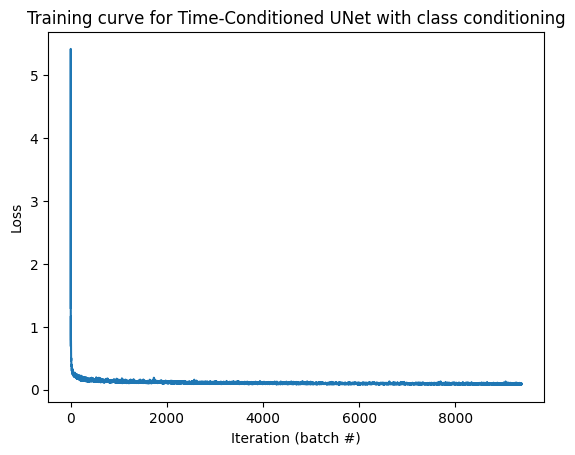
puncond. The training loss curve is as follows:
uuncond in velcoity using a mask of all 0s in the model, as well as the conditional estimate ucond of a given digit using a mask of all 1s. Once we have ucond and uuncond, we will let our final estimate be ucfg = uuncond + γ(ucond - uuncond) before updating each iteration with x0 = x0 + (1 / T)ucfg. Below is a visualization of generating the digits 0-9 4 times for epochs 1, 5, and 10:
nn.Conv2d();nn.BatchNorm2d();nn.GELU();nn.ConvTranspose2d();nn.AvgPool2d();torch.cat();f + g = f(g(x)).
nn.Linear().